Drafts and approvals
The AI works fast. You decide what goes live.
Every change lands in a draft you can review. Changes that are hard to undo wait for a click from someone with the right permission. Everything else you can undo: per chat before it goes live, from the history afterwards.
See it
Change one thing, then take it back
Real screenshots from Caelo on a small demo site, Harbour Yoga. One request, one click on Publish live, one undo.
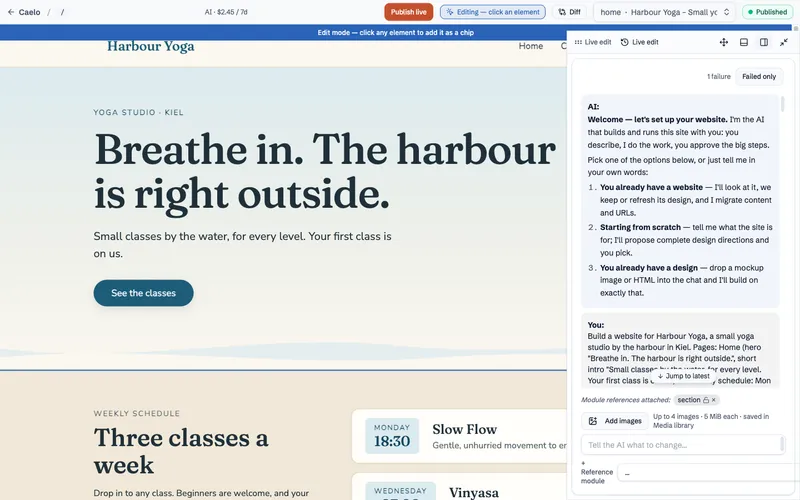
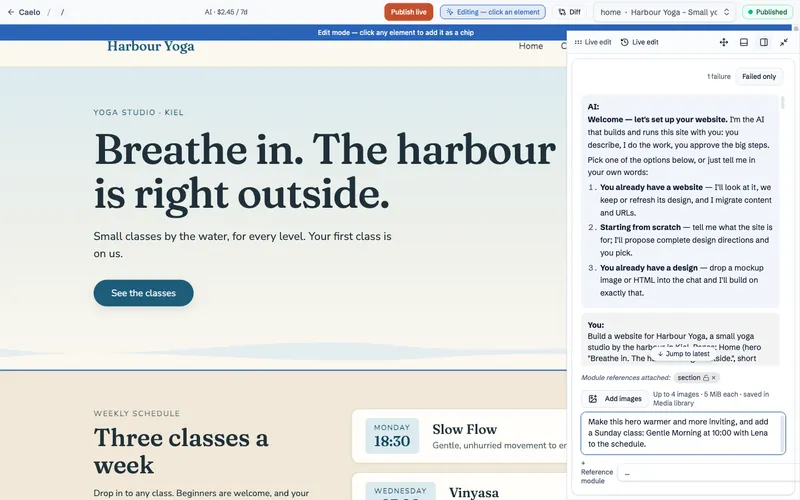
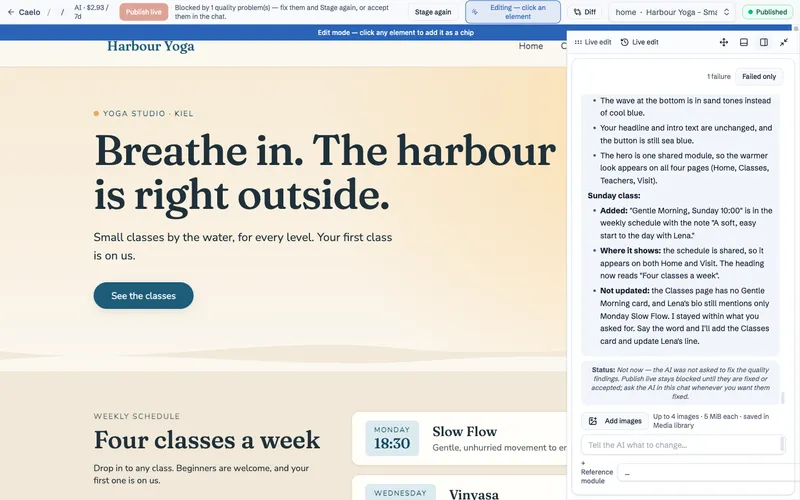
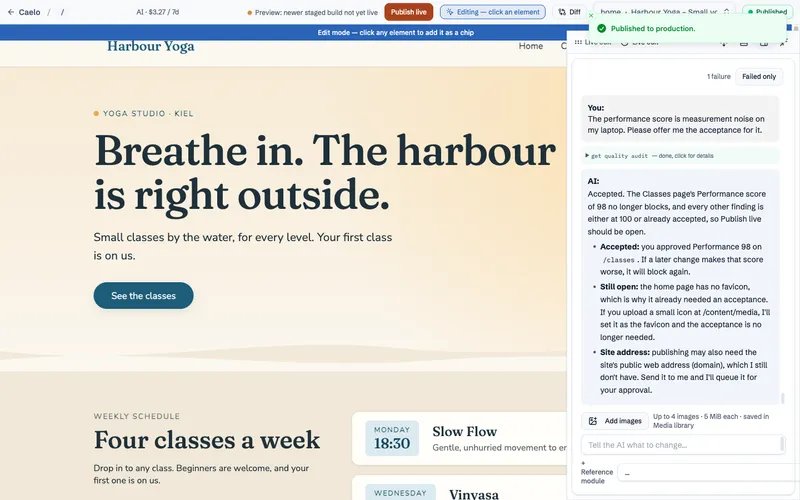
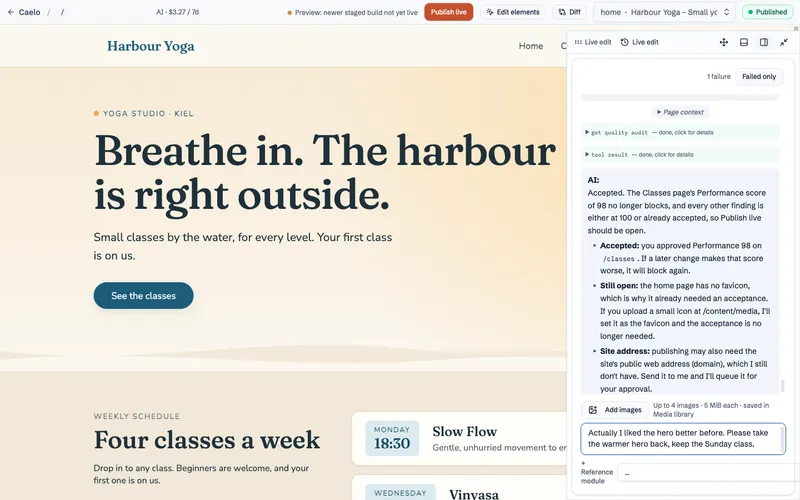
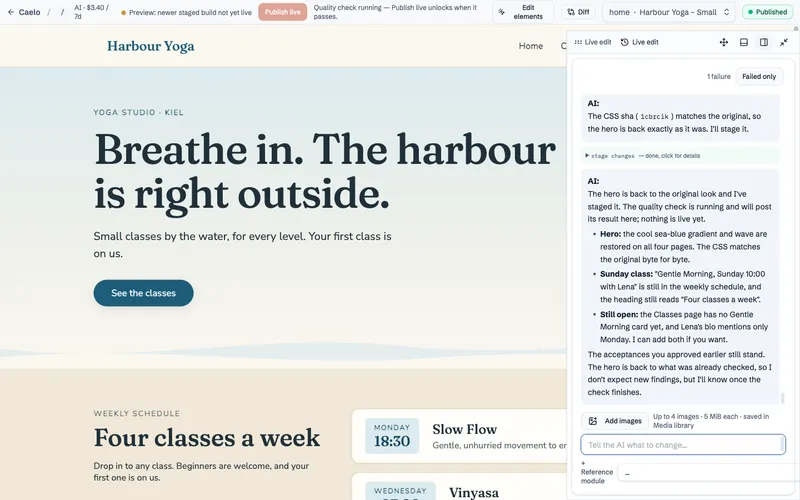
Screenshots from Caelo 0.10.52, October 2026. The demo site runs locally; the conversation is real.
Approvals
Some changes wait for your click.
When the AI wants to do something that is hard to undo, it stops and shows an approval card in the chat. Nothing happens until someone approves, and nobody can approve what they would not be allowed to do themselves.
- Draft
- Staging
- Live, by your click
Needs your approval
Switch the site to the new "Autumn" theme
- Nothing changes before you click
- Only someone allowed to switch themes can approve
- You can switch back at any time
See it
The AI asks before it changes the whole site
Switching the theme touches every page. The AI prepares the change and waits; nothing happens until a person approves it.
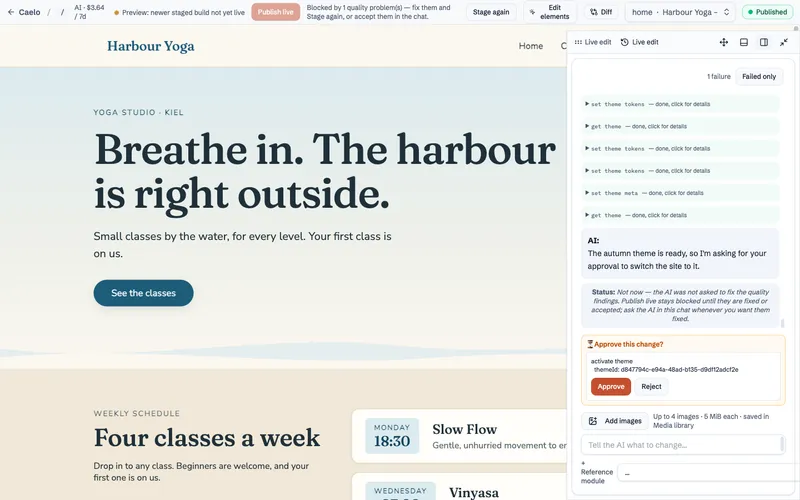
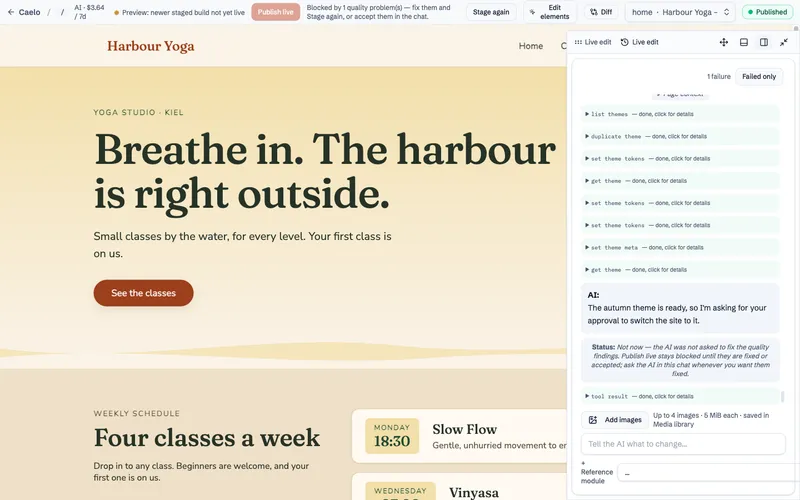
Same demo site, same Caelo version. Today the card names the action; a preview of what it affects is planned (issue #813).
From draft to live
Five steps, one of them is always yours.
The AI may stage its own finished work and read the quality check. The last step stays with a person.
What waits
About 50 actions always wait for a human click.
These are the changes you cannot take back with one more call. Each request gets its own card, and there is no automatic approval.
Undo
A mistake is undone, not repaired.
Every change is recorded. Drop a chat's changes before they go live, or roll a page back from its history afterwards.
Next
See where your site is built.
The admin and the database never sit on the server your visitors reach.