Clean
Rebuilt, not copied
Old page-builder markup from WordPress, Elementor, Divi and similar is left behind. Every page is written fresh into Caelo modules, even when you keep the design.
Move your site
Give Caelo the address of your website. The AI rebuilds it inside a clean design system, keeps your page addresses and meta descriptions, and shows you the result before anything goes live.
How it works
The AI stops for you at four points: the design question, the homepage, the choice between another example and the bulk import, and the finish. In between it keeps working.
The result
The point of moving is not a copy of the old site. It is the same content in a system that stays consistent from here on.
Clean
Old page-builder markup from WordPress, Elementor, Divi and similar is left behind. Every page is written fresh into Caelo modules, even when you keep the design.
Complete
Every heading, paragraph, list, image and link of a source page must appear. The AI checks each rebuilt page against the source and names what is missing.
Kept
Pages use your site's own paths where possible, and each page's meta description is carried over. Images move into Caelo's media library instead of being linked from the old server.
Under your control
A migration touches your whole site, so the steps that matter wait for you.
See it
We built a dated WordPress-style site for the demo yoga studio and asked Caelo to move it. This is what came back.
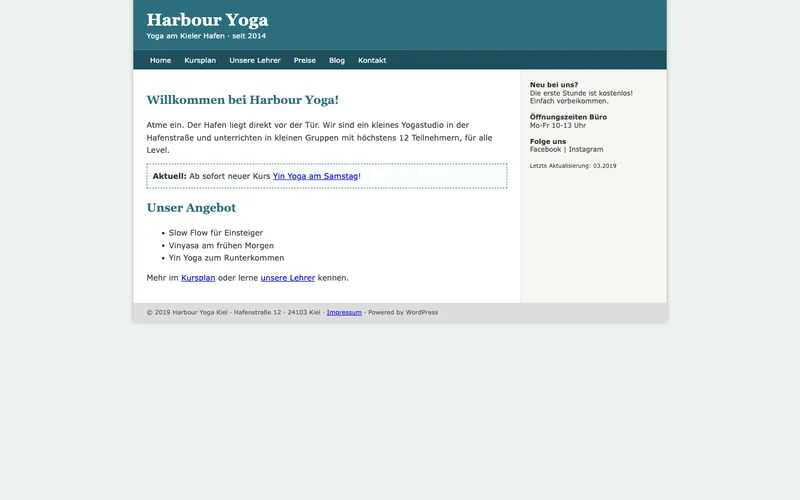
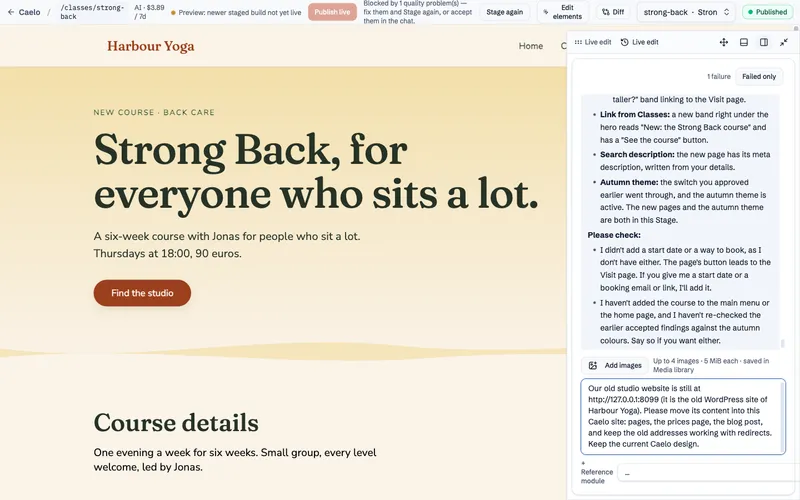
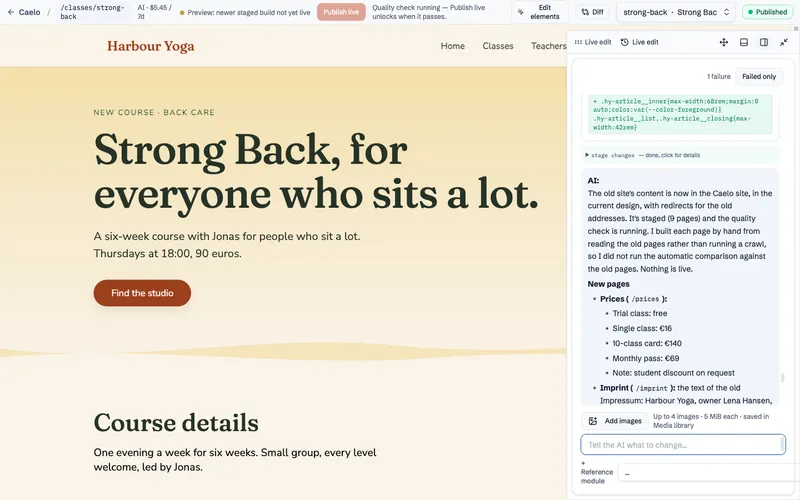
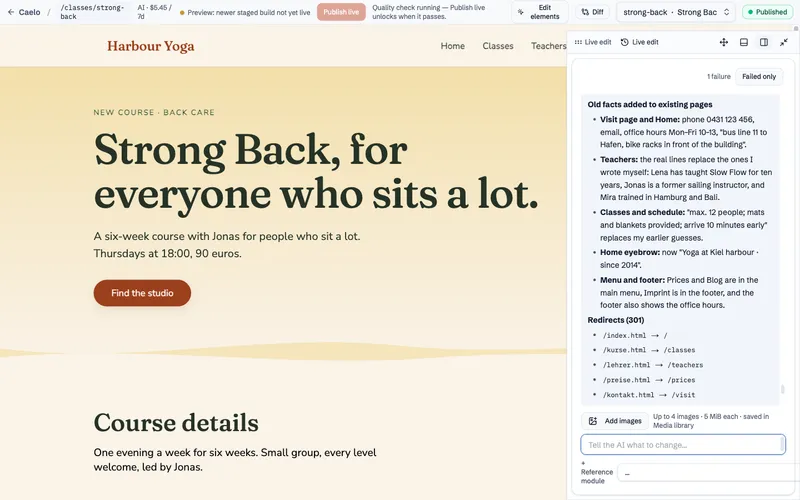
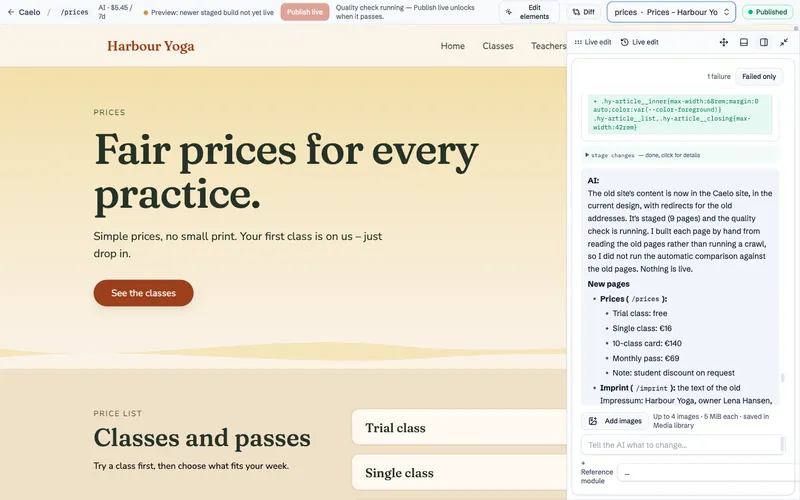
Screenshots from Caelo 0.10.52, October 2026. The old site and the Caelo site both ran locally for this test.
Start
The migration starts in the chat as soon as your install is running.